 Home
PDF2Image ScreenShots
Articles
Products
Downloads
Home
PDF2Image ScreenShots
Articles
Products
Downloads
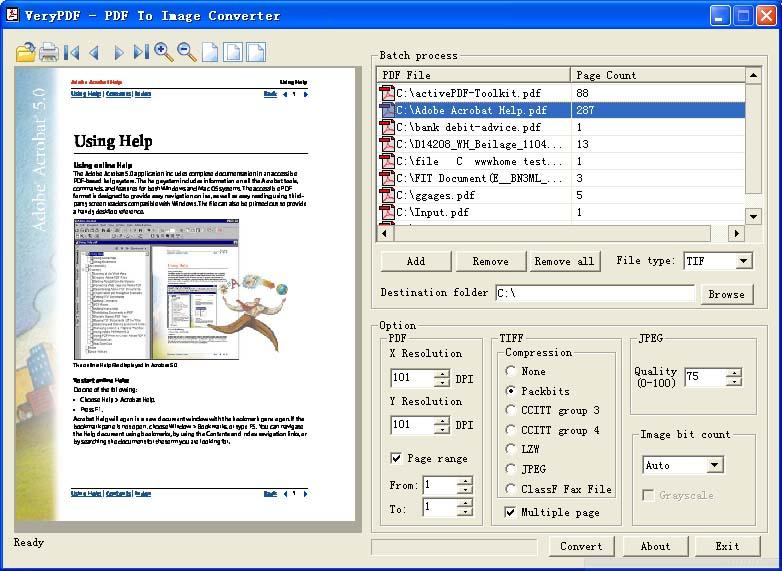 |
Acrobat to Image Converter - Acrobat to Image Acrobat to Image - Convert Acrobat files to Image files (acrobat2image,acrobattoimage) |
Raster graphics are the most common type of
image files. They are comprised of a grid of pixels where each pixel represents
an individual color within the image. Both Web graphics and digital photos are
stored as raster graphics. While some raster image formats are uncompressed,
most use some type of image compression.
Common raster image file extensions include .BMP, .TIF, .JPG, .GIF, and .PNG.
Other image file categories include Vector Graphic and 3D Image files.
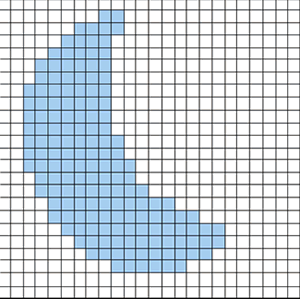
Raster Images are produced by digital image
capture devices: digital scanners or digital cameras, or by pixel editing
programs (e.g., Adobe Photoshop). Raster images are composed of a matrix (grid)
or bitmap of digital picture elements (pixels). Pixels are squares or rectangles
described as black, white, gray or color. Raster images typically are saved as
TIFF format, but can be saved as EPS as well. Whereas conversion from vector to
raster is easily accomplished, raster conversion to vector is much more
difficult (and often is not possible). Raster images typically are easily shared
across various platforms, but can be more difficult than vector graphics to
modify. As well, raster graphics are impacted by scaling.
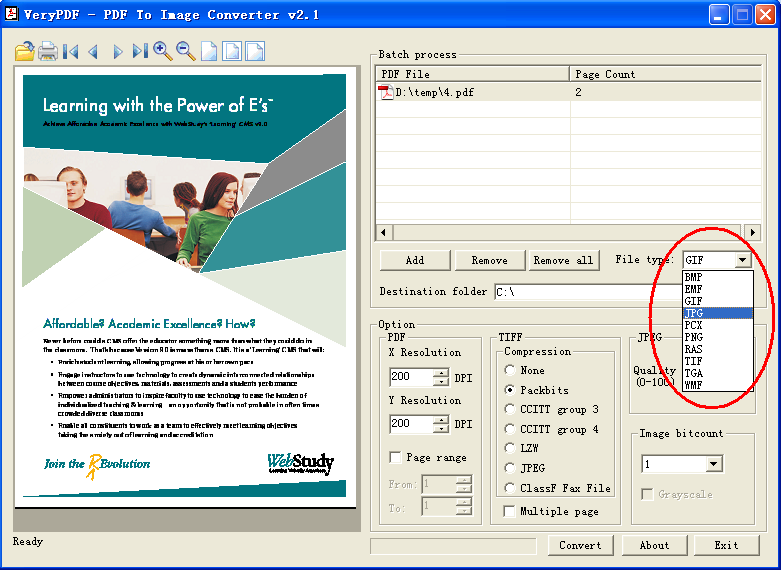
Acrobat to Image Converter is able to support lots of image formats, such as
BMP, EMF, GIF, JPG, PCX, PNG, RAS, TIF, TGA, WMF, etc. formats, please see
following screenshot for more information,
Home |
Products |
Downloads |
Support |
Links | Contact
Copyright © 2000- VeryPDF.com, Inc. All rights reserved.
Send comments about this site to the webmaster.