 Home
PDF2Image ScreenShots
Articles
Products
Downloads
Home
PDF2Image ScreenShots
Articles
Products
Downloads
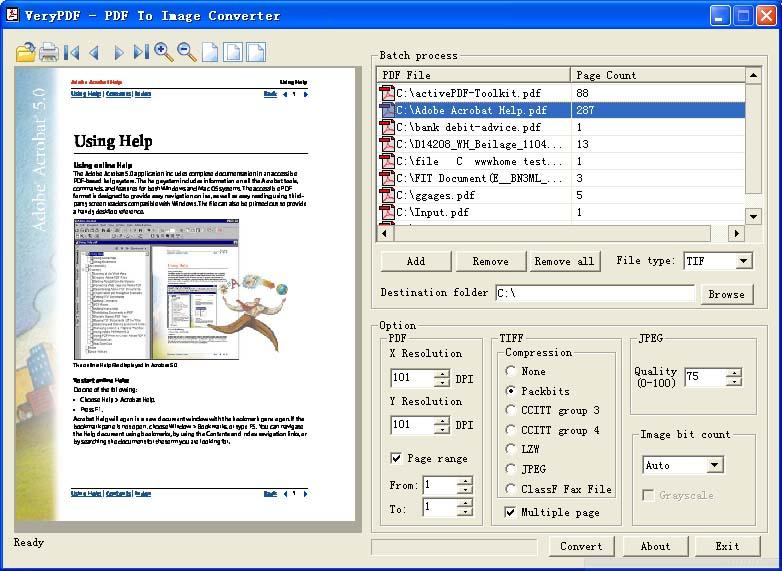 |
Acrobat to Multi-page TIF Converter Acrobat to Multi-page TIF - Convert Acrobat files to Multi-page TIF files |
The Tagged Image Data Format (TIF or TIFF) can
be a graphic extendable. Typically used for high-quality images, TIF files can
be used for both raster and vector graphics, and they have the initial ability
to hold multiple images in a single file. These files are referred to as
multipage TIF images. You will see a multipage TIF with Windows Photo Viewer,
which comes standard with Windows 7.
Instructions:
1. Locate the multipage TIF on your own hard disk.
2. Right-click on the TIF file, highlight "Open with" and then click "Windows
Image Viewer" application.
3. Flip through the pages in the TIF file with arrow buttons located directly
within the picture.
You can use Acrobat to Multi-page TIF Converter to convert multi-page PDF file
to one multi-page TIFF file, then you can view each TIF page in Windows Image
Viewer application easily.
Click here to learn more...
Home |
Products |
Downloads |
Support |
Links | Contact
Copyright © 2000- VeryPDF.com, Inc. All rights reserved.
Send comments about this site to the webmaster.