 Home
PDF2Image ScreenShots
Articles
Products
Downloads
Home
PDF2Image ScreenShots
Articles
Products
Downloads
 |
Acrobat to Multipage TIF Converter Acrobat to Multipage TIF - Convert Acrobat files to Multipage TIF files |
TIF format is able to contain multiple images.
TIFF readers must be equipped for multiple/multi-page images (subfiles) per TIFF
file, although they may not be needed to do anything with images after the first
one.
There could be several Image File Directory (IFD) inside a TIFF file. Each IFD
defines a subfile. One potential usage of subfiles is always to describe related
images, for example the pages of the facsimile document. Set Up A Baseline TIFF
reader is not needed to read any IFD beyond the first one.
The TIFF format can help to conserve multi-page documents to some single TIFF
file rather than group of files for each scanned page. Multi-page support and 2D
compression of bitonal images triggered TIFF's becoming the widely accepted
format for facsimiles, especially on Fax Servers. As opposed to many statements
seen through the entire internet, there is no TIFF standard at either the ISO
and/or ANSI levels. Subsets with the TIFF specification are already developed
for example TIFF for very specific use cases, for example preparing documents
for magazine printers. These subsets are distinct from TIFF-IT.
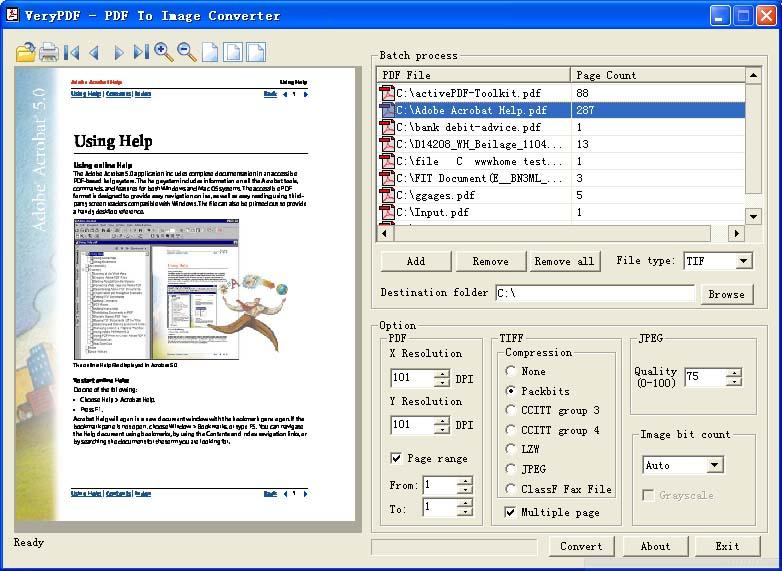
You can use Acrobat to Multipage TIF Converter to convert multi-page PDF file to
multi-page TIFF file, you can select "Multiple page" option in the
dialog, then you can create multi-page TIFF from your PDF file quickly.
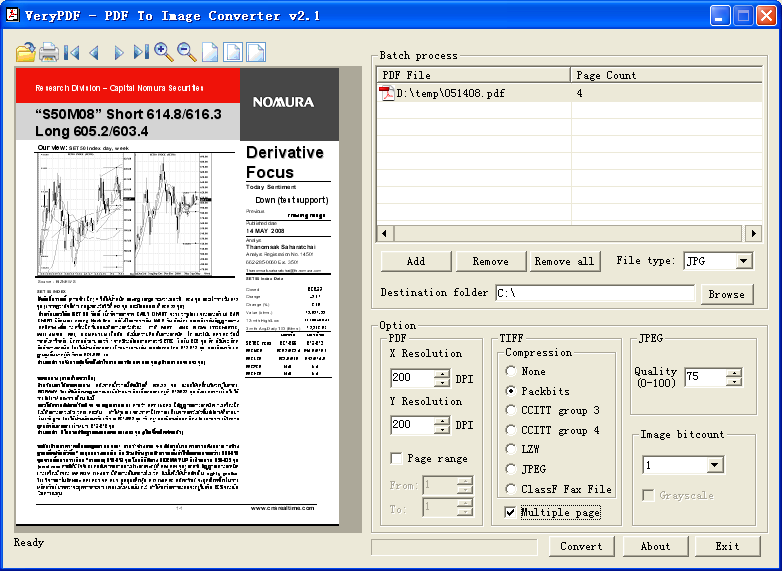
After you convert your multi-page PDF file to multi-page TIF file, you can read multi-page TIF from your application, this can be done easily by GDIPlus code.
The following console application creates an Image object based on a TIFF file. The code calls the Image::GetFrameDimensionsCount method to find out how many frame dimensions the Image object has. Each of those frame dimensions is identified by a GUID, and the call to Image::GetFrameDimensionsList retrieves those GUIDs. The first GUID is at index 0 in the pDimensionIDs array. The call to the Image::GetFrameCount method determines the number of frames in the dimension identified by the first GUID.
#include <windows.h>
#include <gdiplus.h>
#include <stdio.h>
using namespace Gdiplus;

INT main()
{
   GdiplusStartupInput gdiplusStartupInput;
   ULONG_PTR gdiplusToken;
   GdiplusStartup(&gdiplusToken, &gdiplusStartupInput, NULL);

   Image* image = new Image(L"Multiframe.tif");

   // How many frame dimensions does the Image object have?
   UINT count = 0;
   count = image->GetFrameDimensionsCount();
   printf("The number of dimensions is %d.\n", count);
   GUID* pDimensionIDs = (GUID*)malloc(sizeof(GUID)*count);

   // Get the list of frame dimensions from the Image object.
   image->GetFrameDimensionsList(pDimensionIDs, count);

   // Display the GUID of the first (and only) frame dimension.
   WCHAR strGuid[39];
   StringFromGUID2(pDimensionIDs[0], strGuid, 39);
   wprintf(L"The first (and only) dimension ID is %s.\n", strGuid);

   // Get the number of frames in the first dimension.
   UINT frameCount = image->GetFrameCount(&pDimensionIDs[0]);
   printf("The number of frames in that dimension is %d.\n", frameCount);

   free(pDimensionIDs);
   delete(image);
   GdiplusShutdown(gdiplusToken);
   return 0;
}
The preceding code, along with a particular file, Multiframe.tif, produced the following output:
The number of dimensions is 1.
The first (and only) dimension ID is {7462DC86-6180-4C7E-8E3F-EE7333A7A483}.
The number of frames in that dimension is 4.
Home |
Products |
Downloads |
Support |
Links | Contact
Copyright © 2000- VeryPDF.com, Inc. All rights reserved.
Send comments about this site to the webmaster.