 Home
PDF2Image ScreenShots
Articles
Products
Downloads
Home
PDF2Image ScreenShots
Articles
Products
Downloads
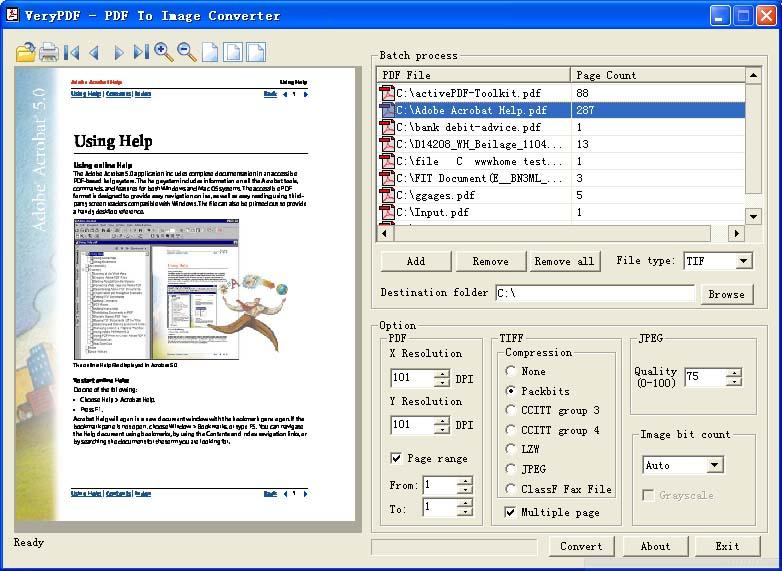 |
Acrobat to Multipage TIFF Converter Acrobat to Multipage TIFF - Convert Acrobat files to Multipage TIFF files |
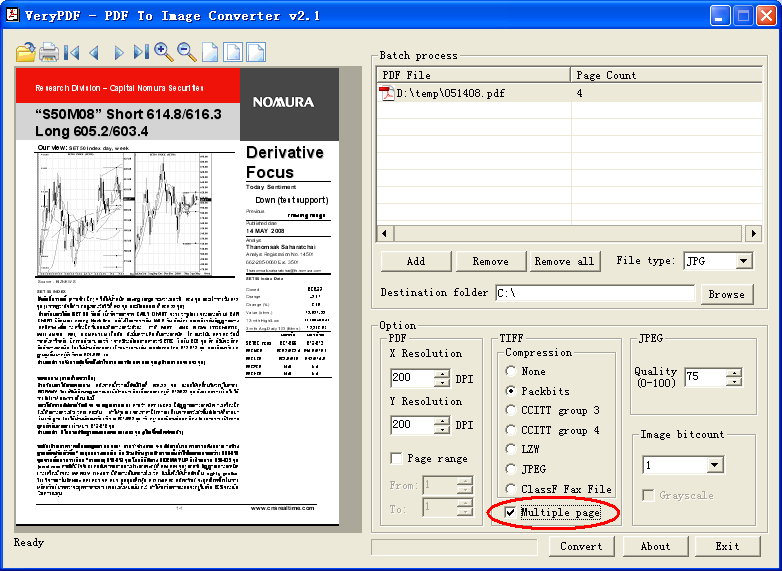
TIFF format does support
multi-page feature. One final important distinction between TIFF and a lot other
image file formats is always that TIFF defines support for multiple images
within a file. Such a file will be called 'multi-page' TIFF. Thus, the TIFF
format is extremely well suited to e.g. store the many pages of a single fax in
a single file.
Acrobat to Multipage TIFF Converter is a standalone application, it is needn't
Adobe Acrobat and Adobe Reader installed in your system. Acrobat to Multipage
TIFF Converter is support batch conversion, you can convert any number of PDF
files to TIFF files at one time. Acrobat to Multipage TIFF Converter is able to
create PACKBITS, CCITT FAX4, CCITT G3, LZW, JPEG compression of TIFF files,
these compression methods will compress the resultant TIFF files as small as
possible. You can also control the quality during PDF to TIFF file conversion,
so that you can print the converted TIFF file to target Windows Printer at high
resolution (high quality).
You can select following options in Acrobat to Multipage TIFF Converter to
convert your multiple page PDF file to multiple page TIFF file,
Home |
Products |
Downloads |
Support |
Links | Contact
Copyright © 2000- VeryPDF.com, Inc. All rights reserved.
Send comments about this site to the webmaster.