 Home
PDF2Image ScreenShots
Articles
Products
Downloads
Home
PDF2Image ScreenShots
Articles
Products
Downloads
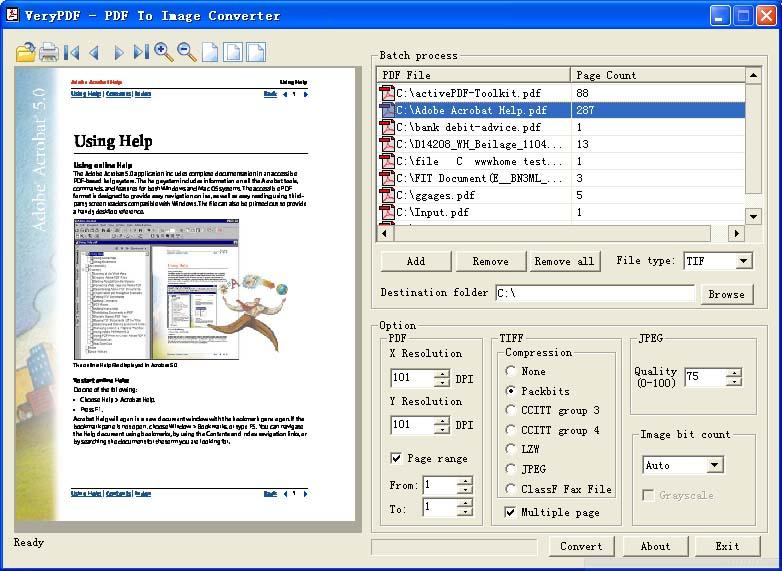 |
PDF to Graphics Converter - PDF to Graphics PDF to Graphics - Convert PDF files to Graphics files (pdf2Graphics, pdftoGraphics) |
Graphics File Formats is a a file format which
created particularly for representing graphical pictures. Graphics file formats
might be broadly categorized into bitmap formats and vector formats. The
different Graphics format can be used for different purposes, e.g.,
If the images are for the Web or online, use JPEG, PNG, or GIF.
If the images are for print, use TIFF.
If you want to keep a version that remains editable, choose your software's
native file format. (PSD for Photoshop, PSP for Paint Shop Pro, CPT for Corel
Photo-Paint, etc.)
Common Graphic & Image File Formats
Probably the most used and common graphics formats used today are TIFF, JPEG,
and GIF. The Tag Image Format (TIFF) is broadly utilized in business, offices,
and commercial printing conditions. Initially TIFF was created to relieve the
problems connected with fixed file formats and also to eliminate the requirement
for proprietary image file formats.
In Web-based posting, three file formats have grown to be the broadly recognized
standard. Presently Browsers are only able to read JPG or GIF and PNG photos,
with no user setting up another viewer or plug-in. On Web pages it's most
typical common frequent to locate JPEG, or Joint Photo taking Experts Group
files employed for photo taking quality images. JPEG (or JPG) utilizes a lossy
compression structure that enables customers to compress the data up to 1/10
from the original size. Such high compression results inside a lack of image
quality, but on Web pages the photos are usually small, they require the
compression to create the more compact image file dimensions for installing.
Most graphics programs will even permit the user to choose a compression factor
while you save a JPEG file, to help you use the look to attain a great balance
between file size and image quality. Because the compression factor will get
greater, more items are introduced in to the image, that are blurred to create
them less noticeable.
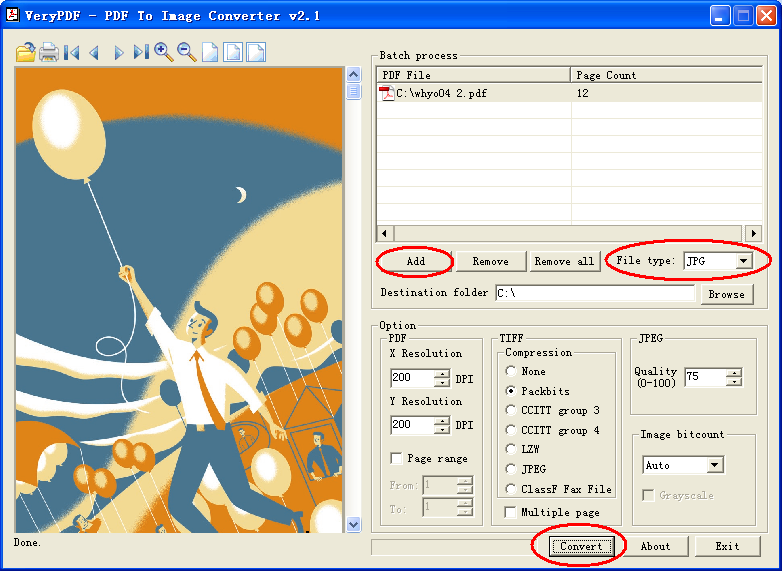
You can run PDF to Graphics Converter application first, add a PDF file to file
list, choose File Type to JPG format, adjust the quality for JPG format, you can
adjust the quality value from 1 to 100, if you wish create the smaller JPG
format, you can set the quality to 50 or less, otherwise, you can set the
quality to 75 or 95 or more, after that, you can click "Convert" button to
launch the conversion process, you will get some JPG files after a few seconds.
Home |
Products |
Downloads |
Support |
Links | Contact
Copyright © 2000- VeryPDF.com, Inc. All rights reserved.
Send comments about this site to the webmaster.