Home PDFTools
Document Support
Articles
Products
Downloads
Home PDFTools
Document Support
Articles
Products
Downloads|
|
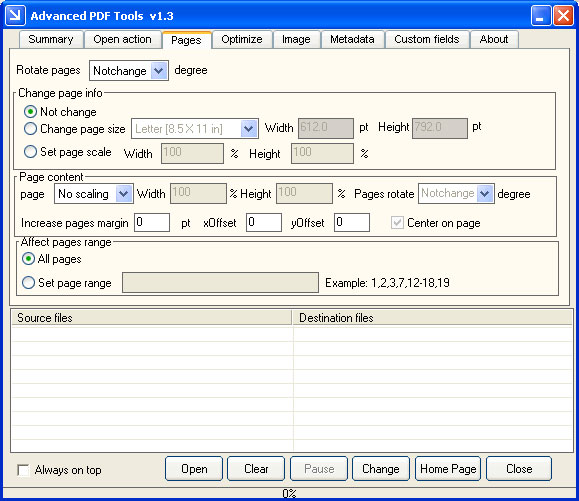
PDF Document Summary Changer - Advanced PDF Tools Change Creator, Producer, Dates, Author, Title, Subject & Keywords Resize, rotate PDF pages, set page margin Set open actions, compress PDF files |
PDF Document Summary Changer is a fast and easy to
use utility to maintain your PDF files, it allows you to edit or add data into
the document information fields of single or multiple PDF files, it also allows
you to set open action, page layout, page size, page margin, page orientation,
metadata, and others into your existing PDF files.
PDF Document Summary Changer Features:
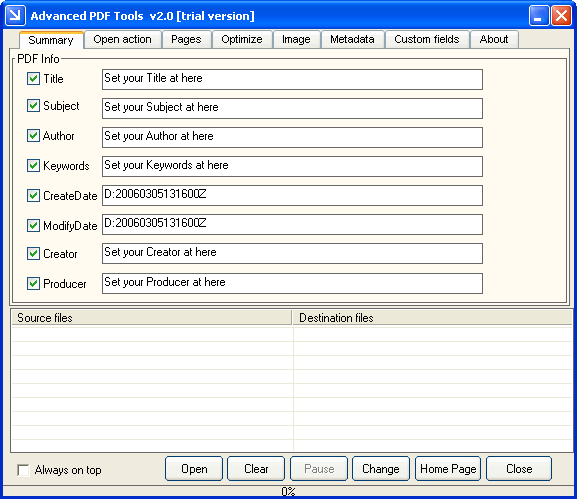
You can click "Open" button to add a PDF file into file list, set the new contents to Title, Subject, Author, Keywords, Create Date, Modify Date, Creator, Producer fields, then you can update these fields in PDF file easily.
With PDF Document Summary Changer Command Line application, you can use following command lines to update document summaries,
Summary setting:
pdftools -i c:\input.pdf -o c:\out.pdf -t title -s subject -l c:\err.log
pdftools -i c:\input.pdf -t title -a author -k "123,456" -d "2003-11-11"
pdftools -i c:\input.pdf -k "+PDF Tools"
pdftools -i c:\pdfdir\*.pdf -o d:\ -s subject -k "book,rtf,doc,text,pdf"
PDF Document Summary Changer - Change information in your PDF files has never been easier! Now choose from more options when changing your PDF files! Click here to learn more...
Home |
Products |
Downloads |
Support |
Links | Contact
Copyright © 2000- VeryPDF.com, Inc. All rights reserved.
Send comments about this site to the webmaster.