 Home Image2PDF
Document Support
Home Image2PDF
Document Support
 |
JBIG to PDF Converter - JBIG to PDF
|
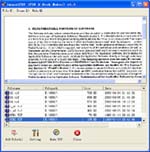
JBIG to PDF Converter is a powerful program which has the ability to convert many kinds of image formats to PDF document which can be opened in almost all computers. To the target file, you don't need to worry that you cannot open it without any PDF reader or viewer installed on your computer. JBIG to PDF Converter is a stand-alone program which can open PDF document with its own reader after the conversion. You can realize different kinds of functions for the target file in the conversion process or you can optimize the image before the conversion such as removing noise, deskewing, etc.
JBIG to PDF Converter is a Win98/ME/NT/2000/XP platforms compatible program. It support multiple kinds of images like TIF, TIFF, JPG, JPEG, PNG, GIF, PCD, PSD, TGA, BMP, DCX, PIC, EMF, WMF, etc.There are several kinds of identity of this application, image splitter, merger and batch converter. For your work convenience, you can drag the image and drop them into the application. It is able to merget images in different directories into one PDF document. To the target PDF document, JBIG to PDF Converter can encrypt them with password and set the permissions such as printing, copying, modifying, etc. You can also use the program to edit PDF properties, set resolution, create bookmarks, etc.
JBIG to PDF Converter is an application program based on Windows platform, which can directly convert more dozens of image formats, such as PNG, JPG, GIF, JPEG2000, BMP, PSD, WMF, EMF, JBIG2, PIC, PNM, PBM, PCX, TGA, DIB, JPEG, PPM, DCX, PCD, PIC, JP2, JP2K and so on into PDF format, can support manifold conversion way, and automatically clear and skew-correct by adopting special technique for B/W images, to insure display effect of high quality after conversion. Click here to learn more...
| POPULAR CONVERT TO FORMATS |
| MNG TO PDF :: MNG TO ACROBAT :: PCD TO PDF :: PCD TO ACROBAT :: PIC TO PDF :: PIC TO ACROBAT :: PSD TO PDF :: PSD TO ACROBAT :: PNG TO PDF :: PNG TO ACROBAT :: AVS TO PDF :: AVS TO ACROBAT :: EPS TO PDF :: EPS TO ACROBAT :: JBG TO PDF :: JBG TO ACROBAT :: JP2 TO PDF :: JP2 TO ACROBAT :: PS TO PDF :: PS TO ACROBAT :: |
Copyright
© 2000-2012 by VeryPDF.com, Inc.
Send comments about this site to the webmaster.