 Home Image2PDF
Document Support
Home Image2PDF
Document Support
 |
JP2 to PDF Converter - JP2 to PDF
|
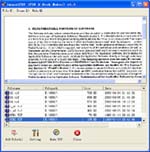
About the program JP2 to PDF Converter, there are several highlighted features shown below.
1. Easy and fast: When you open JP2 to PDF Converter, you will find that it has a friendly interface which enables you to set different parameters for the input images or target PDF document. You will be able to master the usage of the application in a short time.
2. Stand-alone: Maybe you want to ask that wheter I need to install a PDF reader on my computer to open and read the target PDF document. Actually, there is no need at all. JP2 to PDF Converter is a stand-alone program and it is able to open the created PDF document with its own PDF reader aftet the conversion.
3. Bach conversion: If you want to convert a lot of images to PDF in batches at one time, JP2 to PDF Converter will do you a great favor. You just need to add the batch images into the application and choose the destination for target files and then run the batch conversion.
JP2 to PDF Features:
JP2 to PDF is an application program based on Windows platform. It supports manifold conversion way, and automatically clear and skew-correct by adopting special technique for B/W images, to insure display effect of high quality after conversion. Click here to learn more...
| POPULAR CONVERT TO FORMATS |
| BMP TO PDF :: BMP TO ACROBAT :: DIB TO PDF :: DIB TO ACROBAT :: JPG TO PDF :: JPG TO ACROBAT :: JPEG TO PDF :: JPEG TO ACROBAT :: PBM TO PDF :: PBM TO ACROBAT :: PPM TO PDF :: PPM TO ACROBAT :: PNM TO PDF :: PNM TO ACROBAT :: PGM TO PDF :: PGM TO ACROBAT :: PCX TO PDF :: PCX TO ACROBAT :: TGA TO PDF :: TGA TO ACROBAT :: |
Copyright
© 2000-2012 by VeryPDF.com, Inc.
Send comments about this site to the webmaster.