 Home Image2PDF
Document Support
Home Image2PDF
Document Support
 |
PIC to PDF Converter - PIC to PDF
|
Why do you choose PIC to PDF Converter?
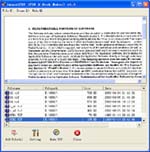
1. You can use PIC to PDF Converter to make batch convesion. If you have a lot of picture files to conver to PDF documents and want to fulfill the conversion in a short time, this program will do you a favor. You just need to add the batch files into program and then set parameters for target file, optimize the source file, etc. Then save pictures to PDF documents in batches.
2. You may ask that do I need to install a PDF reader or viewer on my computer? The anser is NO. PIC to PDF Converter is a stand-alone program and you don't need to install any third-party program on your computer because this program is a stand-alone one. With its own PDF reader, you can read the created PDF document when the conversion is over.
3. Please don't worry about the usage of PIC to PDF Converter. It has a friendly user interface and you can easily see all the buttons and options on its interface. All the options are easy to understand and operate. You just know what do you want to do, where the original pictures are saved and whete do you want to save the target file, it will be OK.
What are the features of PIC to PDF Converter?
Do you want to learn more about PIC to PDF Converter?
If you want to learn more information about this powerful program, you can Click here to learn more...
| POPULAR CONVERT TO FORMATS |
| BMP TO PDF :: BMP TO ACROBAT :: DIB TO PDF :: DIB TO ACROBAT :: JPG TO PDF :: JPG TO ACROBAT :: JPEG TO PDF :: JPEG TO ACROBAT :: PBM TO PDF :: PBM TO ACROBAT :: PPM TO PDF :: PPM TO ACROBAT :: PNM TO PDF :: PNM TO ACROBAT :: PGM TO PDF :: PGM TO ACROBAT :: PCX TO PDF :: PCX TO ACROBAT :: TGA TO PDF :: TGA TO ACROBAT :: |
Copyright
© 2000-2012 by VeryPDF.com, Inc.
Send comments about this site to the webmaster.