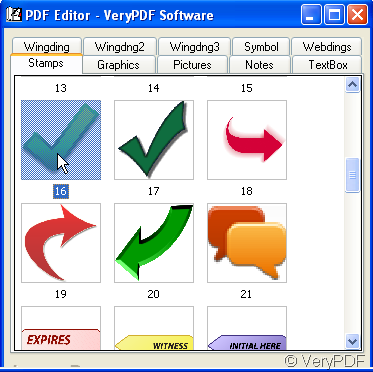
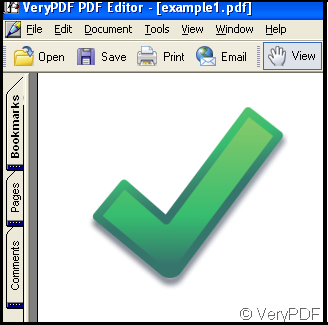
Someone is familiar with the feature of VeryPDF PDF Editor knows that we can add a stamp to PDF files through Edit Comment function. Yet some pictures we need don’t exist in the place, it seems we have to get the picture through annotation function, no matter when we add the picture to PDF files, we depend on annotation all the time.
In fact we can copy anything in the PDF file by use of VeryPDF PDF Editor, we can process the pictures from annotation and keep it in another place for the sake of our next use, namely we can be independent of the annotation.
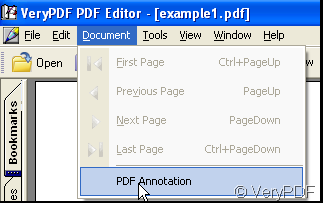
Add a PDF file to VeryPDF PDF Editor, find the option of Document from which find PDF Annotation, there is a stamp category in PDF Annotation, select a picture and make it in the PDF file.
Adjust the picture and edit it, after that snapshoot it, copy it to a clipboard.
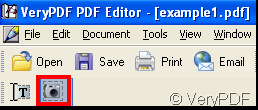
use the snapshot icon to copy
Then open the clipboard and click Ctrl+V, thus the picture is put in the clipboard, then save it as a jpg file.
Now we can through Edit Comment in the toolbar of VeryPDF PDF Editor to add the picture to the PDF file, the illustration is below:
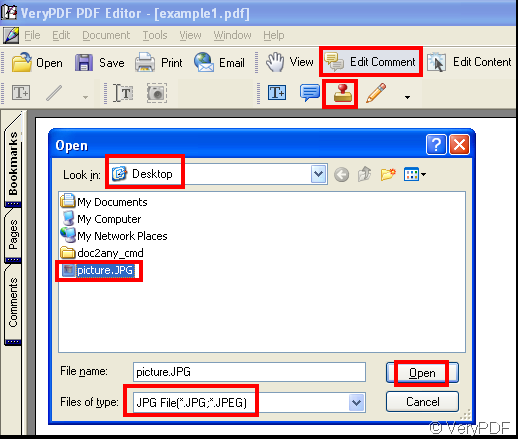
When you click Open button in the dialog window, the picture will be added to the PDF file.
Related Posts
- How to add Wingdng3 images as annotations to PDF files with VeryPDF PDF Editor?
- Do you know there are many interesting pictures in verypdf pdf editor?
- How to Highlight Part Numbers in Large PDF Drawings Automatically (Mac and Windows)
- [Solution] VeryPDF SDK for Android Platform: Offline PDF Viewer, Editor, Annotation, Conversion, Digital Signature & Document Management Solution
- Introducing VeryPDF PDF Viewer SDK: Powerful PDF Viewer, Annotation, and Form Filling SDK for Web Applications and Document Collaboration
- VeryPDF PDF SDK for Developers: Built for Developers, Trusted by Enterprises! Powerful PDF Toolkit for Developers to Edit, Convert, Sign, Secure, and Automate PDF Documents
- VeryPDF PDF SDK For Servers – Powerful & Customizable PDF Solutions for Windows, Mac, Linux, iOS & Android Developers Royalty Free
- VeryPDF Cloud API Self-Hosted Solution – Secure PDF Processing, Conversion, Editing, and Automation Toolkit
- [Solution] VeryPDF PDF Annotation Web Component for Developers
- VeryPDF PDF AI Reader Software can answer your questions and show the page number and context of the answer
- How to convert PDF with embedded fonts to text without messy code?
- [VeryPDF Release Notes] VeryPDF Released an Online PDF Editor to allow you to edit, comment and annotate PDF files in web browser directly
- If I want to stamp a symbol as a comment, how can I do by use of VeryPDF PDF Editor?
- Add text to PDF
- How to copy bookmark from a PDF file to another PDF file with VeryPDF PDF Editor?