Data Extraction Suite includes more Data Extraction Tools for your documents workflow:
- PDF Extractor SDK – converts PDF to text, PDF to HTML, extracts images from PDF, PDF to CSV for Excel, PDF to XML, PDF to Word, etc.
- BarCode Reader SDK – reads almost any barcodes from PDF, TIFF, images, webcam, etc.
- PDF to Text OCR SDK, OCR to Any Converter SDK - extract text and format information from scanned PDF, TIFF, JPG, PNG, BMP, etc. formats.
https://www.verypdf.com/app/pdf-to-txt-converter/index.html
https://www.verypdf.com/app/pdf-to-text-ocr-converter/index.html
https://www.verypdf.com/app/ocr-to-any-converter-cmd/index.html
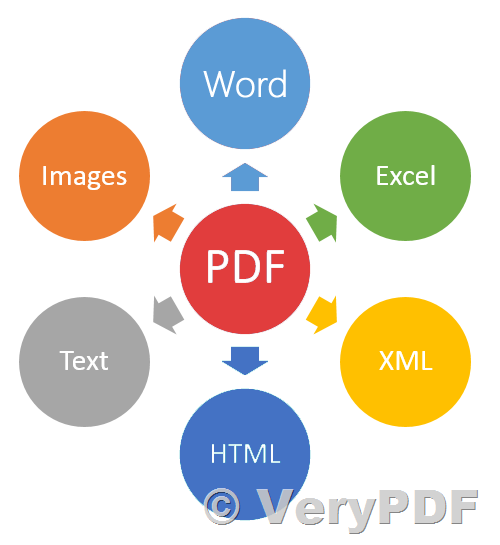
PDF Extractor SDK included following functions,
- Extract text from PDF and convert PDF to Excel (powered by PDF Extractor SDK)
- Extract text from PDF, Excel or OpenOffice documents
- Extract and convert tables to CSV (can be easily converted to MS Excel formats)
- Extract text from images using built-in OCR engine (with multiple languages supported)
- Deal with malformed and damaged text in PDF
- Extract embedded images from PDF
- ActiveX & DCOM interfaces support
BarCode Reader SDK Reads Barcodes from TIFF, PDF, scanned images,
- Read barcodes and MICR codes from Bitmaps, JPG, PNG, TIFF, PDF
- Read barcodes from images from scanner or other still imaging devices using WIA
- Support nearly all 1D linear and 2D barcodes (see documentation for full list of supported formats)
https://www.verypdf.com/app/barcode/barcode-recognition.html
If you encounter any problem with above products, please feel free to let us know, we will assist you asap.
http://support.verypdf.com/open.php
VeryPDF Cloud PDF Data Extractor is a cloud based API that can be used to extract all data information from various PDF documents, such as: Purchase Orders and Bank Statements.
You can use this Cloud API to retrieve Fonts, Images, Image Positions, Text Contents, Text Positions, Metadata, Forms, Drawings, PDF Paper Size, MediaBox, CropBox, TrimBox, BleedBox, ArtBox, Rotation, etc. information from PDF invoices, you can integrate this Cloud PDF Data Extractor API into your web application to automate your business easily.
http://www.verypdf.com/app/pdf-extract-tool/online.html