 Home Image2PDF
Document Support
Home Image2PDF
Document Support
 |
Multipage TIF to PDF Converter - Multipage TIF to PDF
|
Highlighted Features of Multipage TIF to PDF Converter
1. Support batch conversion
If you want to make batch conversion for converting a batch of multipage TIF to PDF documents, you can take the program Multipage TIF to PDF Converter as your tool. With the drag and drop operations, you can easily add source files into the application. Then you can set parameters and save the target file to run the batch conversion.
2. A stand-alone program
If you have installed Multipage TIF to PDF Converter on your computer, you do not need to install any other third-party program for reading PDF document. When the conversion from multipage TIF to PDF is finished, the target PDF document will be opened automatically.
3. Easy to use
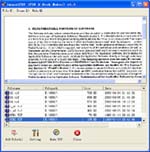
Multipage TIF to PDF Converter is easy to use and when you open the program, you will findt that there is a friendly user interface on your screen. All buttons and options are clear at a glance. Just by some clicks with your mouse, you will fulfill different operations and finish the conversion quickly.
Multipage TIF to PDF Features:
Multipage TIF to PDF is an application program based on Windows platform, which can directly convert more dozens of image formats, such as PNG, JPG, GIF, JPEG2000, BMP, PSD, WMF, EMF, JBIG2, PIC, PNM, PBM, PCX, TGA, DIB, JPEG, PPM, DCX, PCD, PIC, JP2, JP2K and so on into PDF format, can support manifold conversion way, and automatically clear and skew-correct by adopting special technique for B/W images, to insure display effect of high quality after conversion. Click here to learn more...
| POPULAR CONVERT TO FORMATS |
| MNG TO PDF :: MNG TO ACROBAT :: PCD TO PDF :: PCD TO ACROBAT :: PIC TO PDF :: PIC TO ACROBAT :: PSD TO PDF :: PSD TO ACROBAT :: PNG TO PDF :: PNG TO ACROBAT :: AVS TO PDF :: AVS TO ACROBAT :: EPS TO PDF :: EPS TO ACROBAT :: JBG TO PDF :: JBG TO ACROBAT :: JP2 TO PDF :: JP2 TO ACROBAT :: PS TO PDF :: PS TO ACROBAT :: |
Copyright
© 2000-2012 by VeryPDF.com, Inc.
Send comments about this site to the webmaster.