 Home Image2PDF
Document Support
Home Image2PDF
Document Support
 |
PSD to PDF Converter - PSD to PDF
|
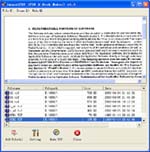
PSD to PDF Converter permits you to convert hundreds of PSD files and many other formats to PDF . It supports almost all known image formats and it has gained the reputation of the fastest all-in-one file conversion utility.
Like all lossless compression image files, PSD (Photoshop Document) files are very large in size. They consist of several layers and contain a lot of addtonal contour, color, transparency, etc. information. This makes them hard, if not impossible, to transmit online. In order to upload what you have just created in Photoshop, you should first convert it to a more compact format. If you have many files to convert to PDF, PSD to PDF Converter will save you a lot of time and effort!
Because PDF is software-, hardware and OS-independent format, it is one of the most convenient in terms of graphic storage and transmission. Being a resolution-independent format, PDF reflects all possible combinations of graphics, fonts, images, etc. If you have lots of raster graphics files and have to convert them to a more compact and portable format, PSD to PDF Converter is an ideal program for you!
PSD to PDF Features:
PSD to PDF is an application program based on Windows platform, which can directly convert more dozens of image formats, such as PNG, JPG, GIF, JPEG2000, BMP, PSD, WMF, EMF, JBIG2, PIC, PNM, PBM, PCX, TGA, DIB, JPEG, PPM, DCX, PCD, PIC, JP2, JP2K and so on into PDF format, can support manifold conversion way, and automatically clear and skew-correct by adopting special technique for B/W images, to insure display effect of high quality after conversion. Click here to learn more...
| POPULAR CONVERT TO FORMATS |
| MNG TO PDF :: MNG TO ACROBAT :: PCD TO PDF :: PCD TO ACROBAT :: PIC TO PDF :: PIC TO ACROBAT :: PSD TO PDF :: PSD TO ACROBAT :: PNG TO PDF :: PNG TO ACROBAT :: AVS TO PDF :: AVS TO ACROBAT :: EPS TO PDF :: EPS TO ACROBAT :: JBG TO PDF :: JBG TO ACROBAT :: JP2 TO PDF :: JP2 TO ACROBAT :: PS TO PDF :: PS TO ACROBAT :: |
Copyright
© 2000-2012 by VeryPDF.com, Inc.
Send comments about this site to the webmaster.