Home Image2PDF
Document Support
 |
JBIG to Acrobat Converter - JBIG to Acrobat
JBIG to Acrobat Conversion - Convert JBIG to Acrobat file
(JBIG2pdf, JBIGtopdf)
|
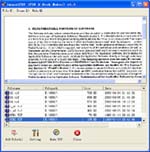
JBIG to Acrobat Converter instantly converts JBIG files into
Acrobat documents.
JBIG to Acrobat software is a standalone program and does not require Adobe Acrobat, or even Acrobat Reader.
JBIG to Acrobat is a batch Acrobat Converter that you can convert a lot of JBIG files to
Acrobat documents once time! saving your time!
JBIG to Acrobat Features:
-
JBIG to Acrobat supports TIF, TIFF, JPG, JPEG, PNG, GIF, PCD, PSD, TGA,
BMP, DCX, PIC, EMF, WMF, etc. image formats;
-
JBIG to Acrobat can combine multiple directories and images into one PDF
file;
-
JBIG to Acrobat does NOT need Adobe Acrobat software;
-
JBIG to Acrobat supports Win98/ME/NT/2000/XP platforms;
-
JBIG to Acrobat supports Multi-page image file to PDF conversion;
-
JBIG to Acrobat supports sorting on file name when converting batches;
-
Image can be dragged directly
from Windows Explorer and converted quickly;
-
JBIG to Acrobat supports single file processing, single directory
processing, multi-level directory processing and many other processing
modes;
-
JBIG to Acrobat can set automatic despeckling (of B/W images; removes
noise) and skew-correction;
-
When batch converting, several
image files can be merged to create a single PDF file, or each image file
may be converted into individual PDF files;
-
Makes use of effective
compression processing to minimize space occupied by the created PDF files;
for example, an A4 size file with a B/W image the output size is about 40KB
to 50KB per page; color and gray-scale images are also compressed and
optimized;
-
JBIG to Acrobat supports drag and drop;
-
JBIG to Acrobat supports password protection for PDF files with 40 or 128
bit encryption;
-
Set file permissions to
restrict printing, copying, and future modifications to the document;
-
JBIG to Acrobat supports auto open PDF file after creation;
-
JBIG to Acrobat supports specify any resolution in the generated PDF file;
-
Optimized to increase speed;
-
JBIG to Acrobat supports set the document title, subject, author and
keywords;
-
JBIG to Acrobat supports scanner;
-
JBIG to Acrobat supports monitor multiple directories;
-
JBIG to Acrobat supports generate bookmarks;
-
JBIG to Acrobat supports merge to an existing PDF file (insert before the
first page or append to the last page);
JBIG to Acrobat is an application program based on Windows platform, which can directly convert more dozens of image formats, such as
PNG, JPG, GIF, JPEG2000, BMP, PSD, WMF, EMF, JBIG2, PIC, PNM, PBM, PCX, TGA,
DIB, JPEG, PPM, DCX, PCD, PIC, JP2, JP2K and so on into Acrobat format, can support manifold conversion way, and automatically clear and skew-correct by adopting special technique for B/W images, to insure display effect of high quality after
conversion. Click here to learn more...
Copyright
© 2000-2006 by VeryPDF.com, Inc.
Send comments about this site to the webmaster.