To protect the security of every user’s document, VeryPDF docPrint supports him to add watermark on document in the VeryPDF docPrint preview application. This useful application also allows every users to change the watermark name, rotate watermarks, change the color as well as the opacity of watermark.
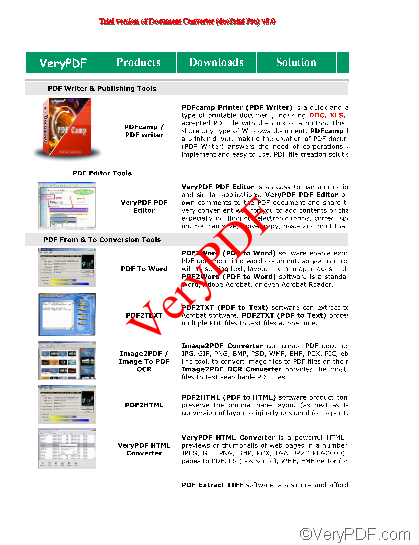
This article would like to show you how to rotate a watermark on current page. Assuming you add a watermark, for example, “VeryPDF” on a page in the docPrint application as illustrated as below:
Now, you would like to rotate the watermark and you should refer to the following steps:
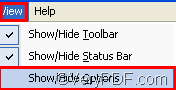
Firstly, run the Option Settings dialog box. If it is on the screen, you can skip to the next step; if you can’ find it on the screen, you should click View> choose Show/Hide Options to run the Option Settings dialog box.
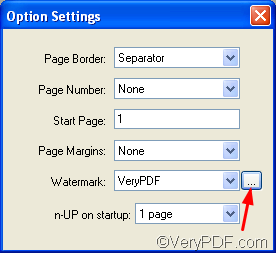
Secondly, click the little button beside the Watermark combo box to open the Watermark Options dialog box.
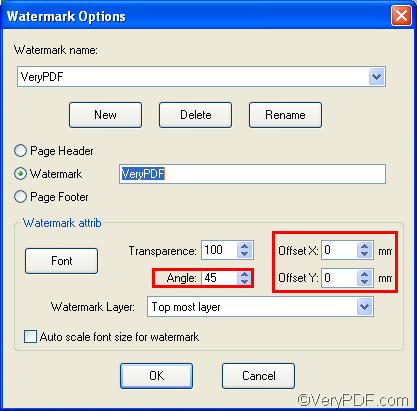
Thirdly, in the Watermark Options dialog box, change the angle degree in the Angle combo box. For example, you can change the angle to be of 180 degree.
Then, you will find the watermark angle changed to be the following one:
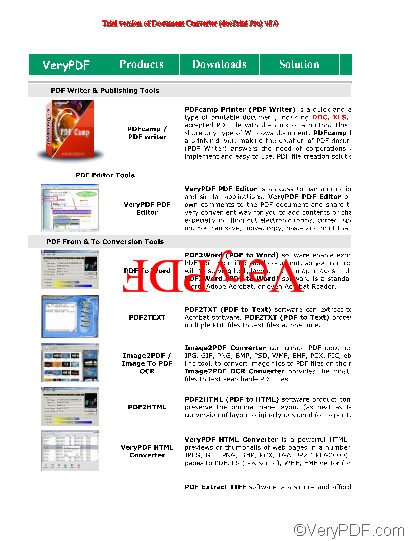
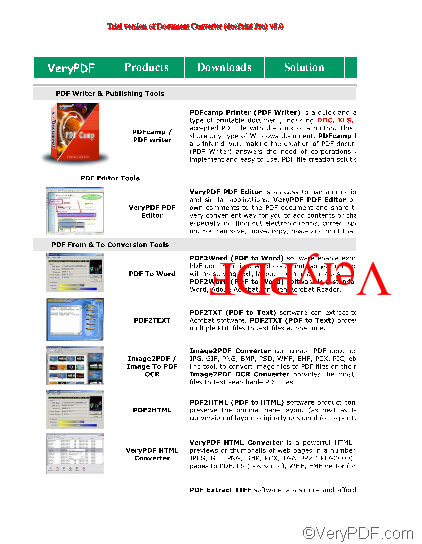
Moreover, the Offset X means the watermark coordinate of X in the page, and Offset Y means the coordinate of Y in the page.
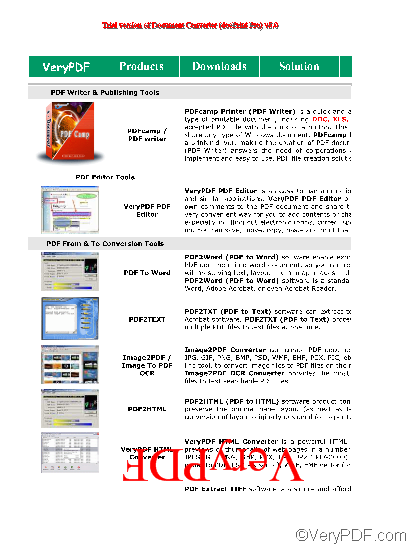
If you change the Offset X from 0 to 80, and keep the Offset Y unchanged, the watermark will move from left to right for a certain distance as illustrated below:
If you keep the Offset X unchanged, and change the Offset Y from 0 to 200, the watermark will move from up down for a certain distance as illustrated below:
To learn more about how to use docPrint, you can read articles at https://www.verypdf.com/wordpress. If you want to get more information about VeryPDF docPrint, please visit https://www.verypdf.com/artprint/index.html.