Hi,
doc2img.dll is included in Document Printer SDK (docPrint SDK), I have downloaded it from following URL,
https://www.verypdf.com/artprint/docPrint-sdk.zip
after I download and call it from my C# source code convert from Office to PDF files, I'm get following error message,
DOCPRINTCOMLib is missing in sample code.
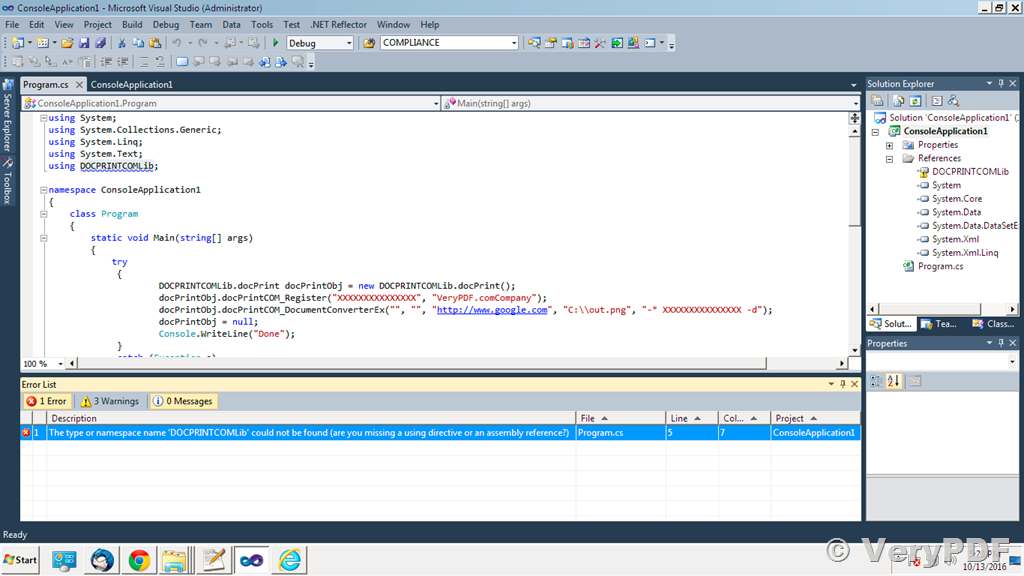
Please let us know if some exe or sdk also needs to be installed.
Customer
---------------------------------------------------
We apologize for any inconvenience this may have caused to you. You can download and install docPrint Pro from following web page first,
https://www.verypdf.com/app/document-converter/try-and-buy.html#buy_pro
https://www.verypdf.com/artprint/docprint_pro_setup.exe
after you install it, you can add a reference to following COM from your "Microsoft Visual Studio 2010" first,
"C:\Program Files (x86)\docPrint Pro v6.0\docPrintCom.exe"
after that, you can call "DocPrintComExe.docPrint" from your C# code to convert from office files to PDF files easily, please refer to following sample C# source code,
using System;
using System.Collections.Generic;
using System.ComponentModel;
using System.Data;
using System.Drawing;
using System.Linq;
using System.Text;
using System.Windows.Forms;
using docPrintComExe;
using System.IO;
namespace CSharp_WindowsFormsApplication
{
public partial class Form1 : Form
{
public Form1()
{
InitializeComponent();
}
private void button1_Click(object sender, EventArgs e)
{
string appPath = Path.GetDirectoryName(Application.ExecutablePath);
string strInFile = "https://www.verypdf.com";
string strOutFile = appPath + "\\_test_out.pdf";
string strLicenseKey = "XXXX-XXXX-XXXX-XXXX";
string strCmd = "-* " + strLicenseKey;
strCmd += " -s \"htmlheader=VeryPDF Page Header\"";
strCmd += " -s \"htmlfooter=VeryPDF Page Footer\"";
strCmd += " -s PrintHTMLBackground=1"
strCmd += " -i \"" + strInFile + "\"";
strCmd += " -o \"" + strOutFile + "\"";
System.Type VeryPDFType = System.Type.GetTypeFromProgID
("DocPrintComExe.docPrint");
docPrintComExe.docPrint VeryPDFCom = (docPrintComExe.docPrint)
System.Activator.CreateInstance(VeryPDFType);
int nRet = VeryPDFCom.docPrintCOM_Register(strLicenseKey,
"VeryPDF.com Company");
MessageBox.Show(strCmd);
nRet = VeryPDFCom.RunCmd(strCmd, true);
MessageBox.Show("Conversion finished.");
}
}
}
VeryPDF